
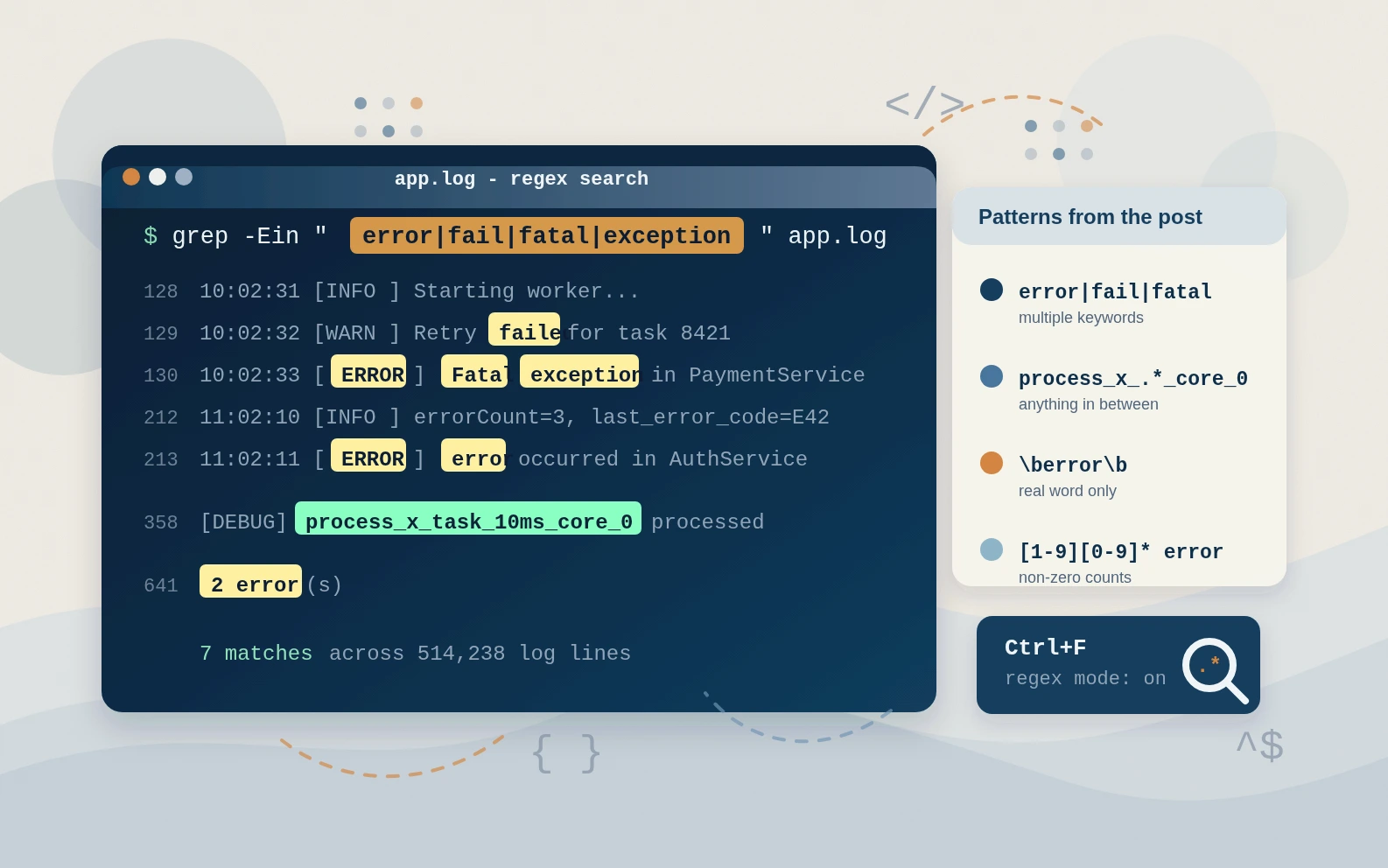
Regex patterns I actually use when searching log files
Sometimes regex feels like this mysterious thing you only touch when you really, really have to. At least for me, it's rarely part of my daily work. In the few cases where I need to implement a feature with regex, I usually Google the specific pattern I need or ask Copilot, quickly verify it, and move on. For this, I like using the regex101 website to test, visualize, and understand patterns.
There is one place where knowing a few regex basics pays off almost every week for me: searching log files.
Log files, depending on the context, can easily have hundreds of thousands of lines. When something in the build goes wrong, or you just want to verify whether the correct work products are used or the right steps are executed, searching through those large files is inevitable.
In this post I want to share a few very small, practical patterns that I use all the time. No regex hell, just things you can directly copy into grep, Ctrl+F search boxes, or your favorite log viewer/editor.
Multiple keywords at once
Searching for multiple keywords at once is useful. You might not need it when searching through a static log file, where you can check each keyword one after another. It becomes helpful when you want to grep for specific keywords during execution. For example, we can search for 'failed', 'error', or 'exception' at the same time with an easy-to-remember pattern by separating the words with a pipe |:
Regex example: error|fail|fatal|exception
In the shell (e.g. grep -E):
grep -E "error|fail|fatal|exception" app.log
Here is an example where you can see what the pattern will catch:
2025-11-17 10:02:31 [INFO ] Starting worker...
2025-11-17 10:02:32 [WARN ] Retry failed for task 8421
2025-11-17 10:02:33 [ERROR] Fatal exception in PaymentService
2025-11-17 10:02:34 [INFO ] Worker stopped.
Anything in between - given start and end patterns
Searching for a specific prefix or suffix is common and easy without regex. But what if you want to search for symbol names that have a specific prefix and suffix, with anything in between? Imagine you want to find all symbol names for process_x on core 0, like the following examples:
process_x_task_5ms_core_0
process_x_task_10ms_core_0
process_x_task_100ms_core_0
In such a case, regex plays very well with .* (dot-star):
Regex example: process_x_.*_core_0
Explanation:
- 'process_x_' sets a fixed literal prefix
- '.*' allows any character, any number of times (also zero) in between
- '_core_0' sets a fixed literal suffix
Here is an example where you can see what the pattern catches, and which lines we're not interested in:
[DEBUG] process_x_task_5ms_core_0 processed
[DEBUG] process_x_task_10ms_core_0 processed
[DEBUG] start_unrelated thing
[DEBUG] process_y_task_10ms_core_0 processed
[DEBUG] something_else
[DEBUG] process_x_task_10ms_core_1 processed
Word boundaries - only the real error
In most codebases we have variables like 'errorCount', 'last_error_code', 'ERROR_STATE', etc. Sometimes, when searching logs, we want to ignore those and only match real words (error, ERROR, Error(s)) that signal actual build or runtime issues. That's where word boundaries \b help. They're easy to remember and easy to apply in any Ctrl+F search:
Regex example: \berror\b
Example log:
2025-11-17 11:02:10 [INFO ] errorCount=3, last_error_code=E42
2025-11-17 11:02:11 [ERROR] error occurred in AuthService
2025-11-17 11:02:12 [INFO ] user_error_state=false
With a simple search for 'error', all three lines match. In the example above this wouldn't be too bad, but in larger log files with thousands of lines, it quickly becomes annoying.
Find tests that actually failed (non-zero numbers)
The last one is a bit specific, but very helpful. Imagine you want to search for any number except zero. I know unit test frameworks that love to print summary lines like '0 error(s)', '2 error(s)', etc. When searching for failed tests, you usually only care about the non-zero ones, but you don't know how many tests failed. The following pattern is easy to remember once you read it with the explanation:
Regex example: [1-9][0-9]* error
Explanation:
- [1-9] - first digit must be 1-9 (so not 0),
- [0-9]* - any number of more digits (maybe none)
- error - fixed literal
Imagine you run lots of tests. Hundreds are with '0 error(s)', but only a few failed with an unknown number of test cases. The log snippet could look like this:
0 error(s)
...
0 error(s)
...
2 error(s)
..
0 error(s)
...
102 error(s)
Final thoughts
In my daily work I almost never need regex for complex one-time tasks. When that happens, I search online for the correct pattern. When debugging and digging through huge log files, though, a few easy patterns are worth remembering. They can make it much faster to find the right information.