
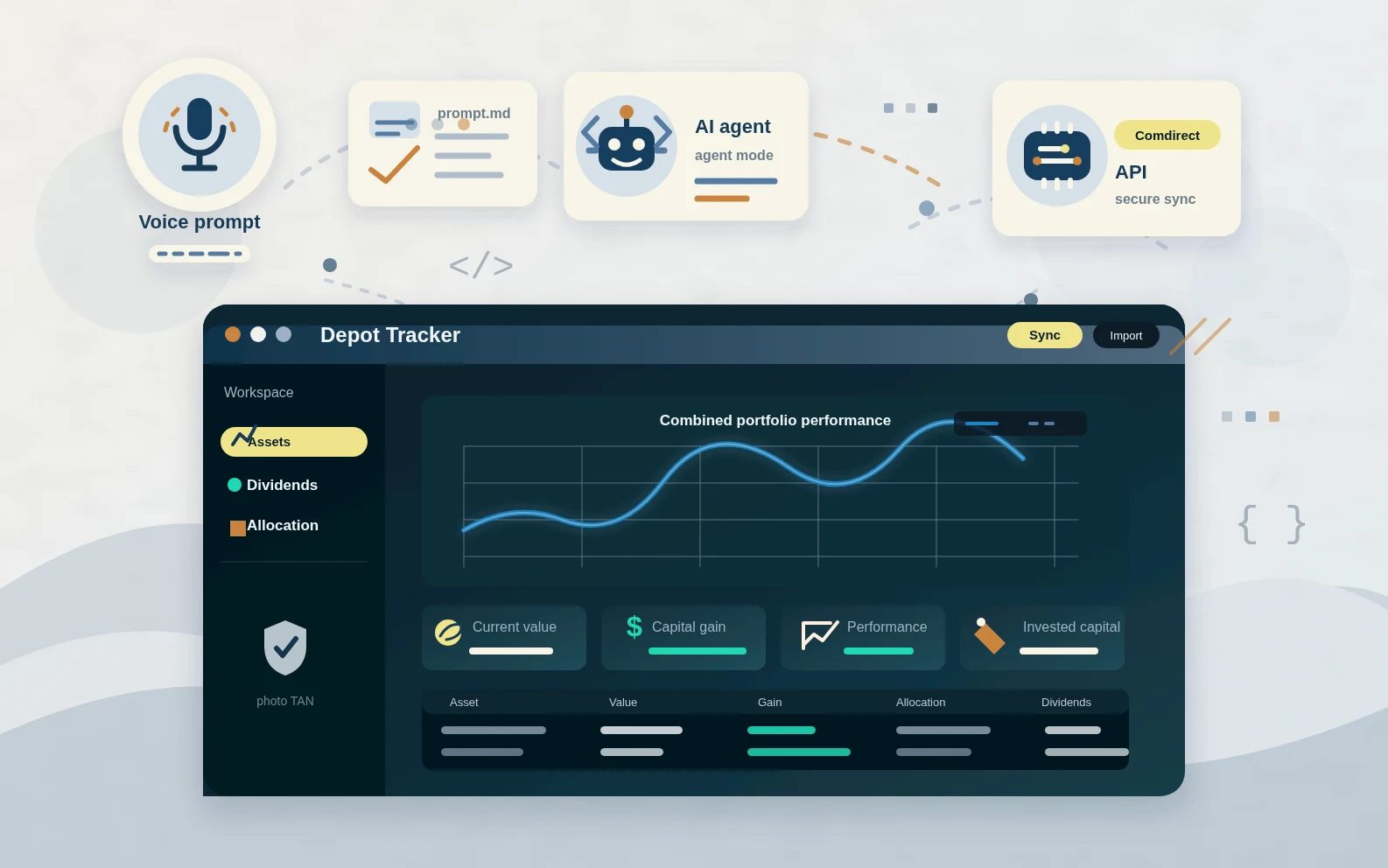
Building my first application with agentic AI
Update (March 2026): AI agents and the models behind them have improved a lot in just half a year, so parts of this post may already feel a bit dated. The app itself is fully functional and has been running on my home server ever since.
Recently, my LinkedIn feed has been full of posts about "vibe coding" and agentic AI: building entire applications by guiding an AI agent step by step.
Since I've already integrated LLMs into both my daily engineering work and personal projects, I was curious: Could I really build a complete application using nothing but my voice and AI assistance?
I decided to find out. My goal: create an investment portfolio analysis app with dividend tracking features, something I wanted for personal use anyway. Most existing apps like those from Finanzfluss or Parqet hide their best dividend features behind paywalls. Time to build my own.
I already had some groundwork done: OAuth2 authentication with Comdirect's developer API, data retrieval, and a rough architecture for my Flask / Dash application. The implementation was minimal, and the UI looked like it was designed by an embedded software engineer. It was the perfect starting point for a vibe coding experiment, especially with an agent that would hopefully have a better sense for design and UX than I do.
My setup and starting point
Before diving in, I set up my environment properly:
- VS Code with GitHub Copilot / GitHub Copilot Chat and activated agent mode
- VS Code Speech extension for true "vibe coding" (speech-to-text functionality)
Because I had started the project earlier without an integrated AI agent, I already had the basic architecture and some features in place. Having a clear picture of what I wanted to achieve helped me guide the AI effectively. I quickly realized that the agent doesn't need to know the full scope. It's better to focus on simple tasks, one after another.
What I built in just a few evenings
The results far exceeded my expectations and matched the hype I'd seen in all those LinkedIn posts. In just a handful of evenings, I managed to implement an app with the following features:
- Retrieve data from main and secondary depots and accounts via the Comdirect REST API (Developer Portal). Authenticate via photo TAN.
- List current positions including purchase prices & values, current prices & values, performance, and allocation. Current stock prices are retrieved from Yahoo Finance.
- Continuously parse account statements to capture and store dividend payments in a persistent local database
- List total dividends received by a single asset in the depot table
- List the 3-month momentum of an asset. I don't like tracking stock prices all the time. This metric quickly gives me an impression of how an asset is currently performing compared to the overall market.
- List multiple depots separately or combined in a single portfolio (allocation adapts accordingly)
- Comprehensive dividend analytics: total dividends per asset, net income over multiple years, monthly averages
- Detailed dividend income table with filtering by company, date ranges, and amounts
- Visual charts showing dividend income trends over time
- Calculate asset allocation and visualize it with pie charts. In addition to the usual categories (asset classes, sectors, regions), I also added a custom "Personal Risk Estimation" category, allowing me to classify each asset based on my own risk assessment (low, medium, high risk). This gives me a quick overview of the overall risk profile of my portfolio from my personal perspective.
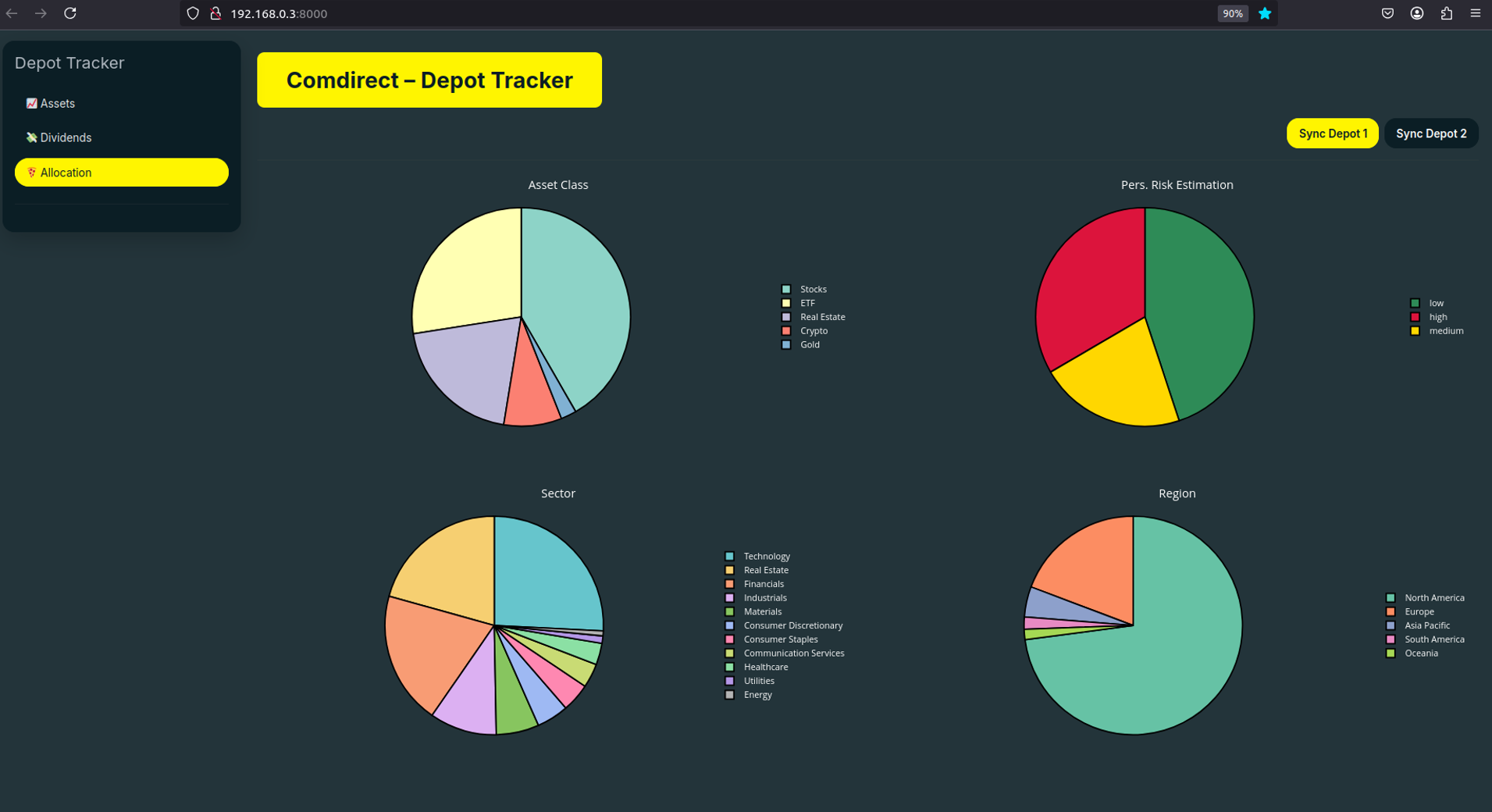
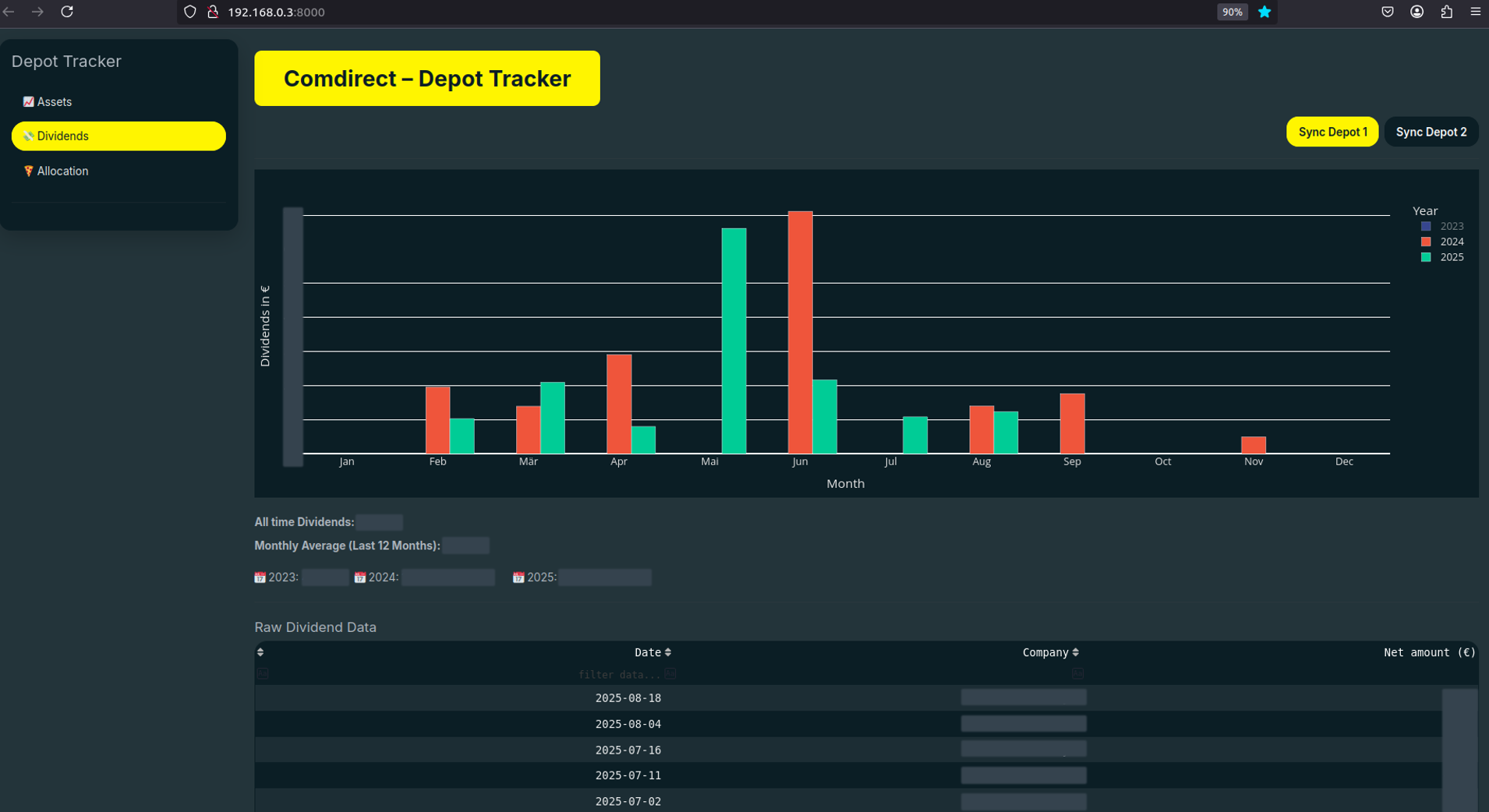
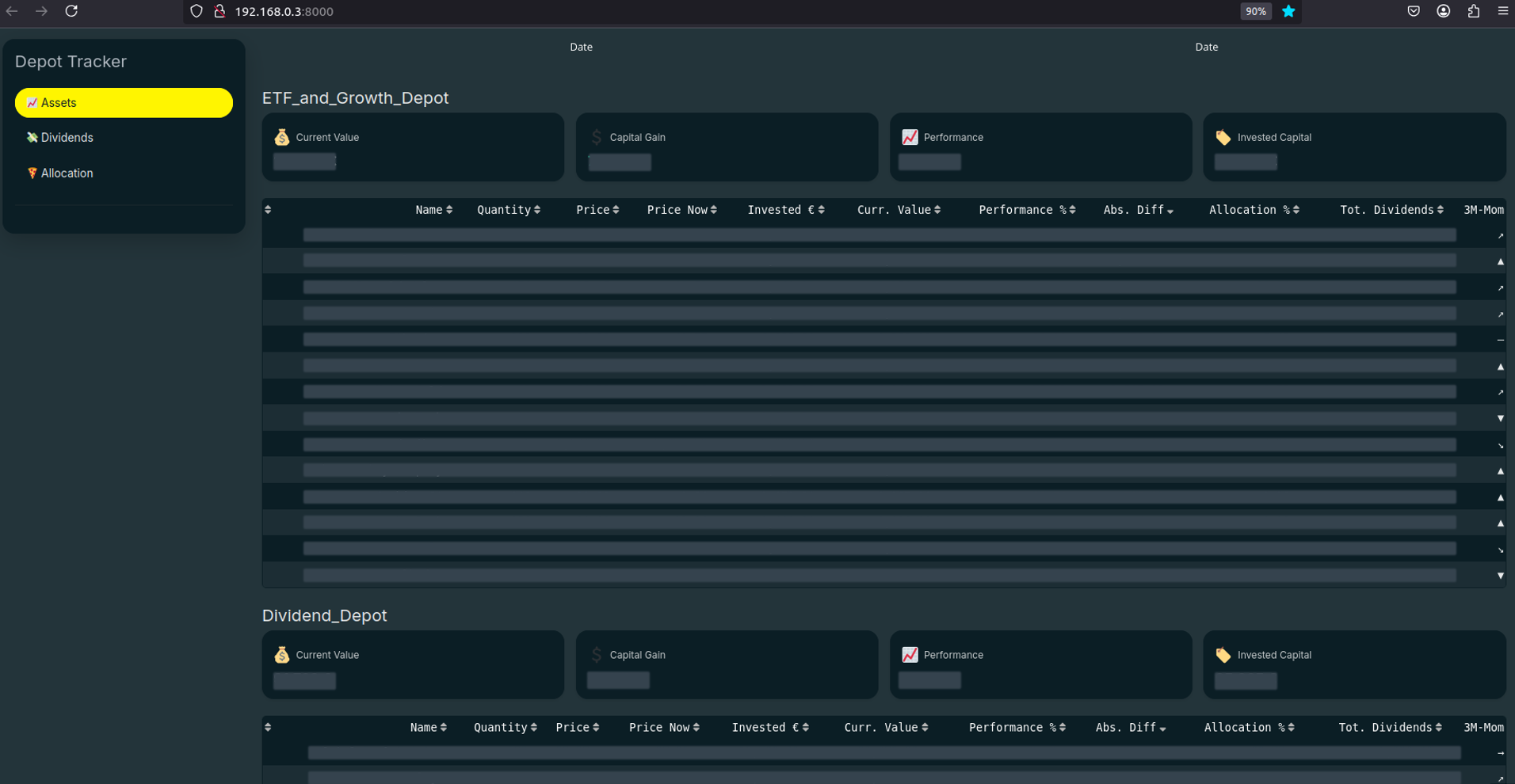
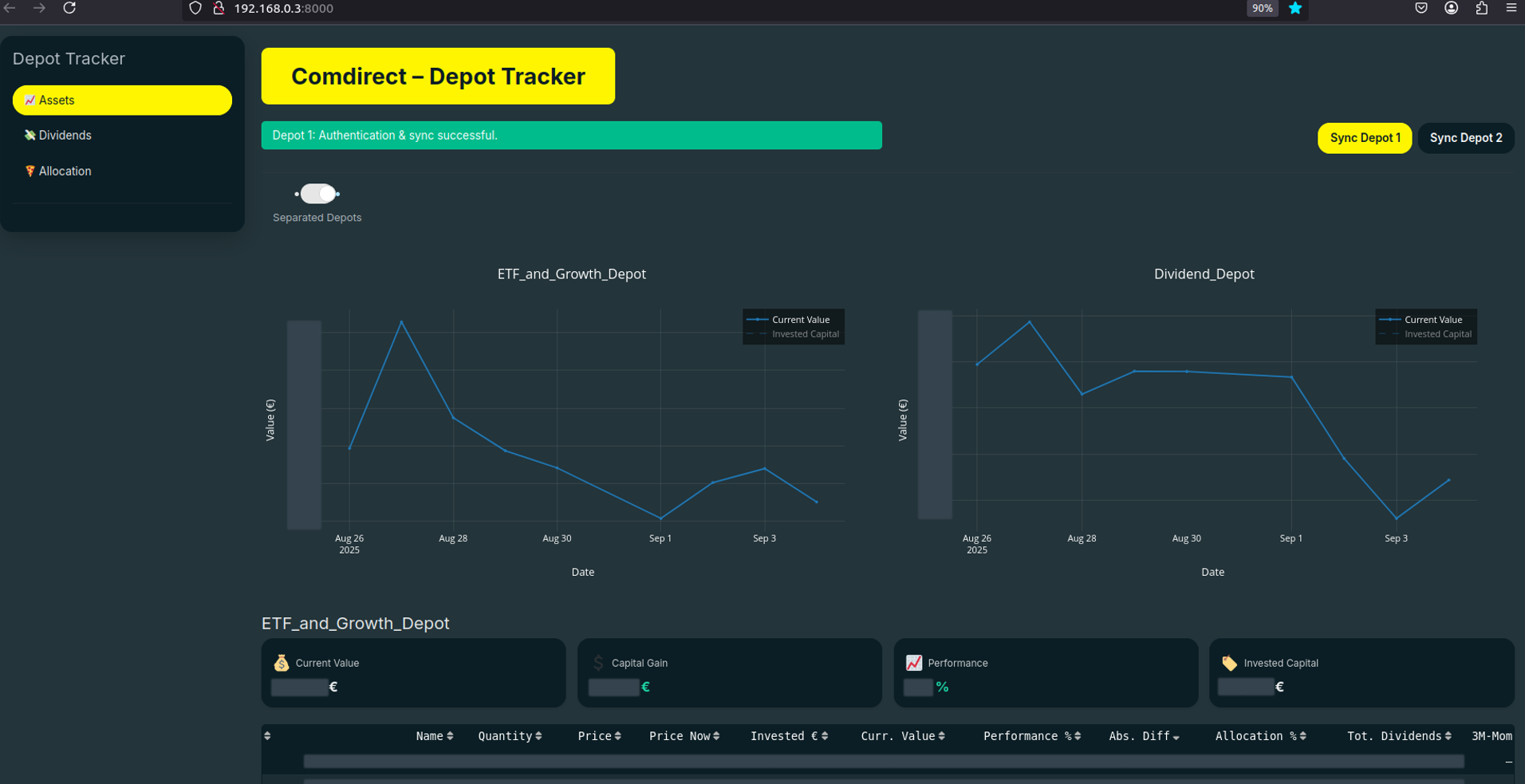
If you have a Comdirect account, you can try the app yourself. The source code is available on my GitHub and all relevant information is available in the README. You just need to register to get your secrets for the Developer API.
Lessons learned from vibe coding
This experiment taught me that you can start using agentic AI without learning much about best practices in advance. It works from the beginning when you want to build features and get running results. Over time, you learn and adapt your workflow based on what works best for you and the agent. Here are some of my key takeaways from vibe coding my first project:
- Begin with the end in mind: Just like Stephen Covey's second habit, having a clear vision of the final product and how you would implement it from an architectural point of view is important. In my opinion, the agent doesn't need to know the final product, but you should.
- Break everything down: Don't try to build multiple features at the same time. Let the agent complete one task before moving to the next. Think of creating user stories from an epic and assigning them one by one to the AI agent.
- Create a prompt.md file: Be specific about how to implement things and refer to this file during conversations. This way you don't need to repeat yourself all the time and can focus on describing the actual tasks you want to implement.
    ---
    name: depot tracker prompt
    description: Guidelines for coding the depot tracker app
    applyTo: ["./**"]
    ---
    - Always activate the virtual Python environment before executing terminal commands (source .venv/bin/activate)
    - Never hardcode secrets. Use environment variables via `dotenv`.
    - All functions must include docstrings explaining the purpose and parameters.
    - Comment the intent of functionality (explain the "why" and purpose, not the "what")
    - Use comments to explain how Dash components work, to get me into the topic
    - Follow PEP 8 style guidelines
    - Include type hints for all function signatures.
- Use private methods where appropriate and object-oriented programming principles.- Always review the code: In my case, the AI agent tends to implement backend logic in frontend components, instantiate objects unnecessarily, or create inefficient algorithms or structures. A quick review catches these issues, and the second iteration almost always works well.
- Commit early and often: Make a commit after each working task. When the agent occasionally goes off track (and it will), you can easily revert to the last known proper state.
- Environment isolation is highly recommended: Using a dedicated virtual environment makes sense. The agent often wants to install packages and dependencies on its own. Having a separate environment prevents messing up your global installations.
Final thoughts
Working with the agent on my project was really impressive. Complex features that would normally take me hours to research, implement, and debug were completed in minutes of conversation and copy-pasting terminal output.
I don't think the agent will completely replace software engineering skills. It's about boosting efficiency. Understanding good architecture, data structures, and clean code principles becomes even more important when working with AI. You need to guide the agent towards good solutions and catch the bad ones quickly. I also think that non-programmers can build a working prototype of their (business-) ideas with the help of AI agents.
My own depot tracker app serves the purpose I intended. More importantly, I got my first experience with effectively collaborating with AI to build a simple software product. I might consider some refactoring in the future when I want to extend the app, but for now, it just works.
I think it's important for software engineers to spend time learning how to prompt and guide AI agents effectively. Like any tool, the better you understand its capabilities and limitations, the more value you can extract. I don't think this is a temporary trend. It's a fundamental shift in how we build software.